
Google Analytics 4 Basics: Understanding Your Website Traffic
Your website is live, customers are finding you online, and you're starting to see some activity. But how do you know if your website is actually working for your business?
That's where Google Analytics 4 (GA4) comes in!
Google Analytics 4 is a free tool from Google that helps you understand how people find and interact with your website. Think of it as a behind-the-scenes look at what's happening on your site, from which pages get the most attention to how visitors find your business in the first place.
And the best part? You don't need to be a marketing expert to learn a few basics that can help you make smarter business decisions.
1. See How People Find Your Website
Are visitors finding you through Google searches, social media, email marketing, or links from other websites?
GA4 helps you identify where your website traffic comes from so you can better understand which marketing efforts are bringing people to your site.
For example, if your monthly email newsletter consistently drives visitors to your website, that's a good sign your content is connecting with your audience.
Where to look: Reports > Acquisition > Traffic acquisition
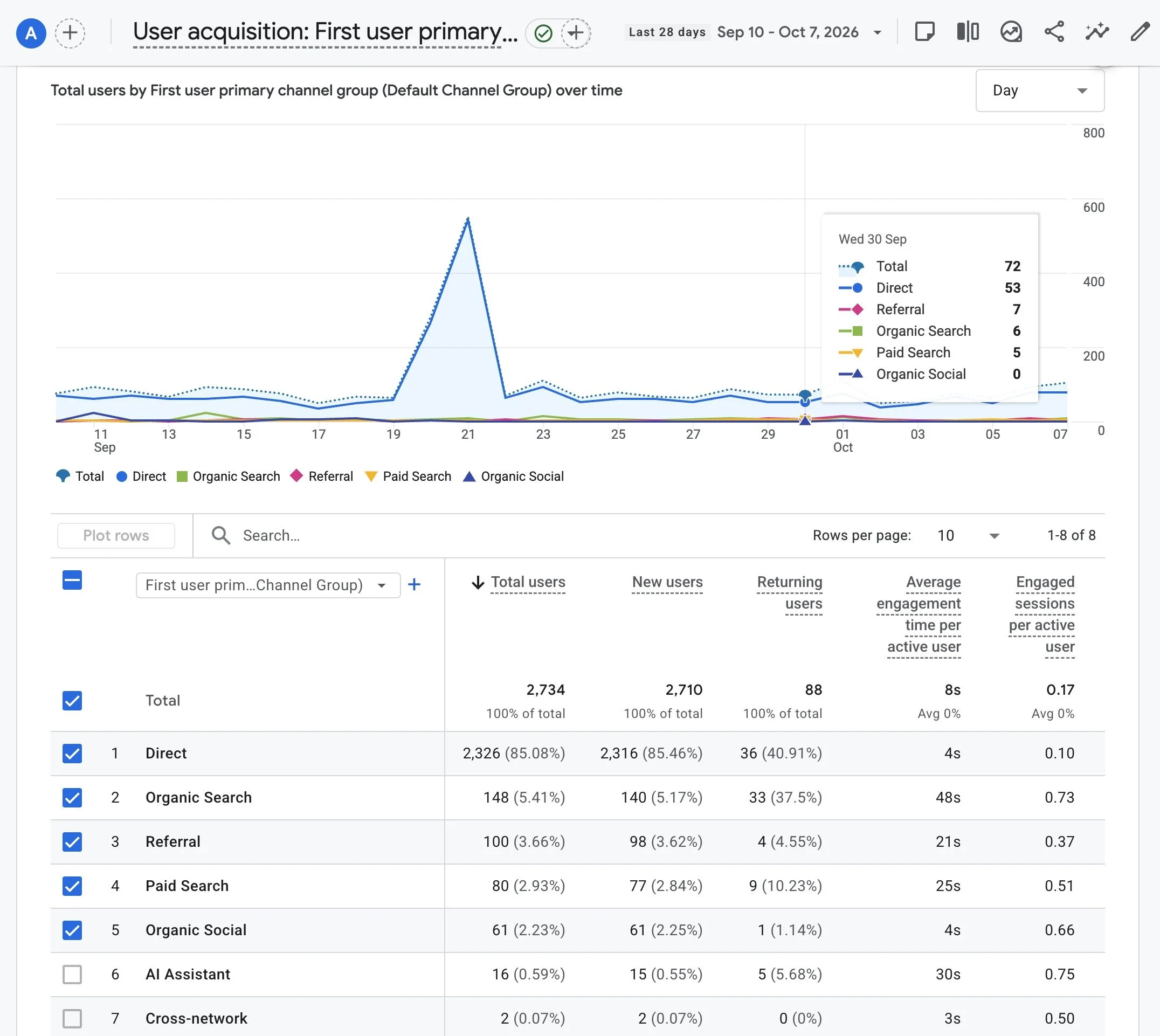
2. Discover Your Most Popular Pages
Not all website pages get the same amount of attention. GA4 shows you which pages people visit most often and how they're interacting with your content.
You might discover that a blog article you wrote two years ago is still bringing in visitors or that one of your service pages is getting far more attention than the others.
This information can help you decide what content to update, expand, or promote.
Where to look: Reports > Engagement > Pages and screens
3. Understand What Visitors Are Doing
Getting people to your website is great, but what happens once they arrive? GA4 measures visitor activity through events, such as page views, clicks, scrolling, and other interactions.
It also tracks engagement, helping you understand whether visitors are spending meaningful time on your site or leaving without much interaction.
For example, if a page attracts lots of visitors but very little engagement, it might be time to review the content, layout, or calls to action.
Where to look: Reports > Engagement
4. Track Actions That Matter to Your Business
Website traffic is important, but what you really want is for visitors to take action. Maybe that's submitting a contact form, clicking your phone number, signing up for your newsletter, or making a purchase.
GA4 lets you track these important actions as key events (previously called conversions). By measuring these actions, you can get a better picture of how your website supports your business goals.
Keep in mind that some actions require additional setup to track accurately.
5. Learn About Your Website Visitors
Are most of your visitors browsing on a phone or desktop computer? Where are they located? Are they new visitors or people returning to your website? GA4 provides helpful information about your audience, including their general location, devices, and browsing activity.
For example, if most of your visitors use smartphones, making sure your website is easy to navigate on a small screen should be a top priority.
Where to look: Reports > User > User attributes and Tech (report locations may vary)
6. Measure Your Online Sales
If you sell products online, GA4 can help you understand how shoppers interact with your store.
With ecommerce tracking properly set up, you can measure product views, items added to carts, purchases, and revenue.
You can also learn which marketing channels are bringing in customers who actually make purchases.
This helps you focus your marketing budget on the efforts that are producing results instead of simply generating clicks.
7. Use Insights to Make Smarter Marketing Decisions
One of the biggest benefits of GA4 is the ability to spot trends over time.
Are more people visiting your website this month than last?
Did your latest blog article attract new visitors?
Did your recent marketing campaign lead to more inquiries?
GA4 offers customizable reports and tools to help you explore your data. Some accounts also have access to automated insights that highlight unusual changes or trends.
Rather than getting overwhelmed by all the numbers, start by reviewing a few important measurements each month.
Over time, you'll begin to see what's working, what's not, and where there's room to improve.
Don't Forget About Google Search Console!
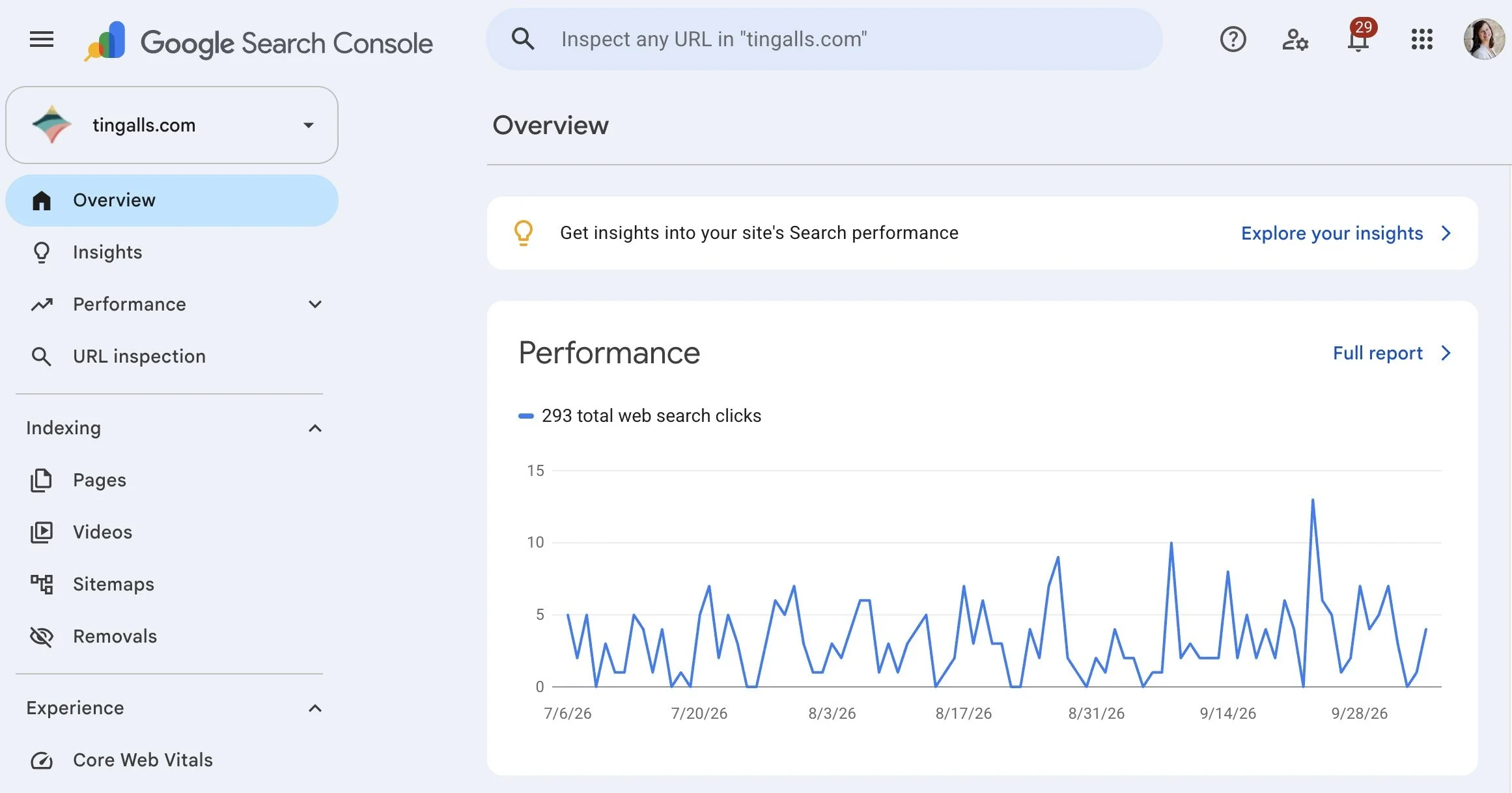
While GA4 tells you what people do once they reach your website, Google Search Console helps you understand how your website performs in Google Search.
Search Console can show you which search terms bring people to your website, how often your pages appear in search results, and which pages receive clicks.
Using these two free tools together gives you a much better understanding of your website's performance and opportunities to improve your SEO.
Make Your Website Data Work for You
You don't need to spend hours studying charts and reports to get value from Google Analytics 4.
Start by asking three simple questions:
How are people finding my website?
Which pages are getting the most attention?
Are visitors taking the actions I want them to take?
Reviewing these basics each month can help you make more informed decisions about your website content, SEO, and marketing efforts.
Need help setting up Google Analytics 4 or understanding your website traffic?
At Tingalls Graphic Design, we help small businesses make sense of their websites and find opportunities to improve their online presence.
Contact Tingalls to learn how we can help!
